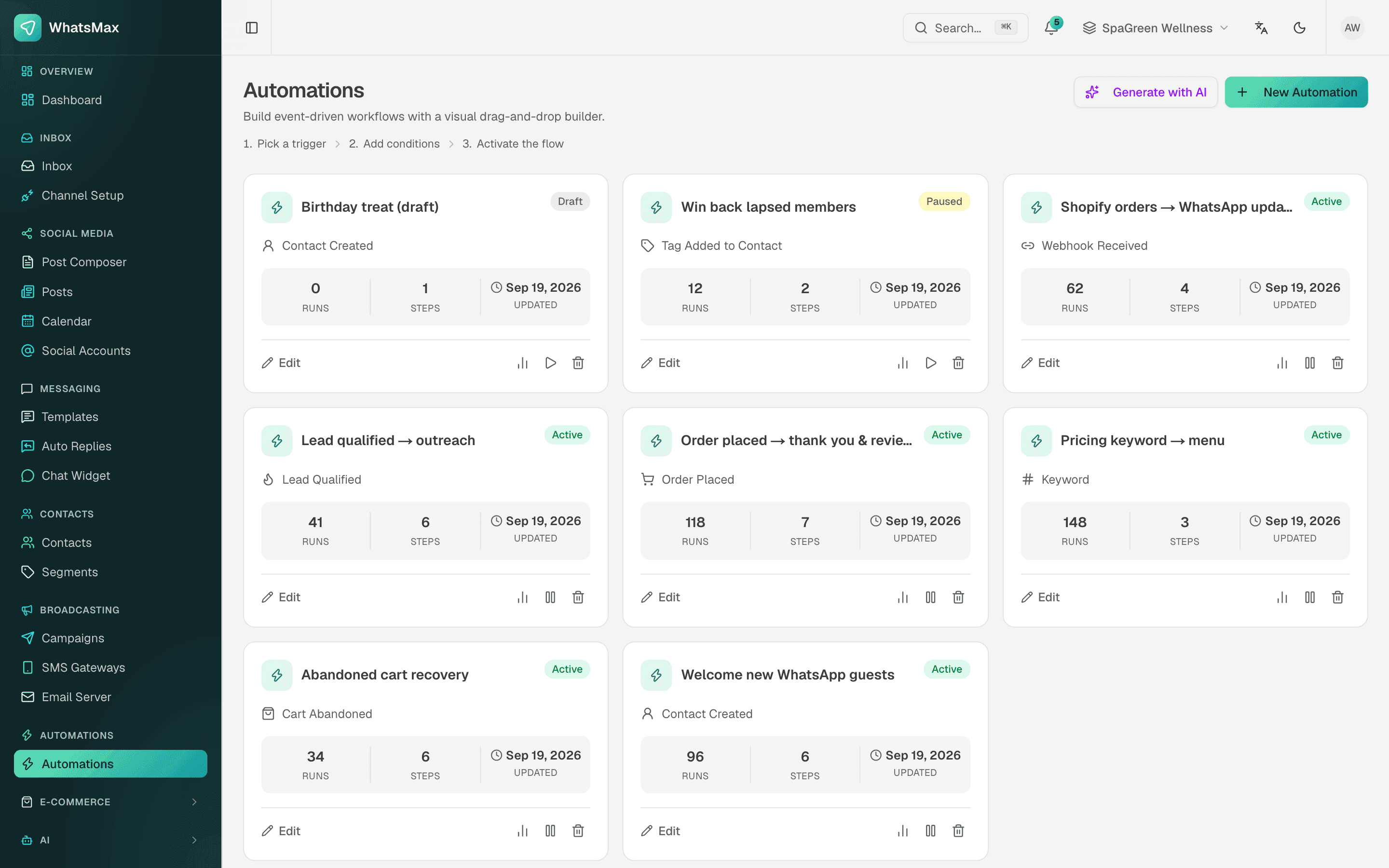
Every growing shop ends up doing the same small jobs by hand: send a thank-you after an order, tag the customer who asked about wholesale, add the new lead to a sheet, remind someone who left a cart. Each one takes a minute, but a hundred of them a day take a person.
SaleMag's automation flow builder lets you set those jobs up once and let them run.
What does the flow builder do?
It is a visual canvas. Every automation starts with one trigger and continues through connected steps. You drag blocks, connect them, and SaleMag runs the flow for every contact that matches. Layouts are saved, so the flow looks the same when you come back.
Which triggers can start an automation?
| Group | Triggers |
|---|---|
| Messages | A keyword in an incoming message, any incoming message |
| Contacts | New contact, tag added, form submitted |
| Commerce | Order placed, fulfilled or cancelled, cart abandoned, new store customer |
| Leads | Lead stage changed, qualified, won or lost |
| External | Incoming webhook from any platform |
Keyword matching is case-insensitive and only counts messages from the customer, never your own replies.
What steps can I add?
- Send: WhatsApp text or template, media (image, video, document), a sequence of messages, quick-reply buttons, list messages, SMS and email.
- Listen: ask a question, pause until the contact replies, and save the answer to a variable.
- Logic: true/false conditions on contact fields, tags, message text or saved answers; waits in minutes, hours or days; sub-flows.
- AI: reply with your workspace AI or hand the chat to one of your AI chatbots.
- Contact: add or remove a tag, update the contact, assign to an agent, add to a campaign.
- Engage: call-to-action buttons, location, polls, appointment booking, Google Meet links, a WhatsApp form.
- Commerce: WhatsApp catalog, Shopify or WooCommerce product cards.
- Integrations: Google Sheets (append a row or read a range), Google Docs, Google Forms, and an HTTP request step (GET, POST, PUT, PATCH or DELETE with your own headers and JSON body).
Messages can include personal tokens like the contact's name or values from the trigger, such as an order number.
Can AI build the flow for me?
Yes. Type a description of 3 to 2,000 characters, for example "recover abandoned carts: wait 1 hour, send a reminder with the recovery link". The AI drafts the trigger, steps and connections using only real step types, lays them out on the canvas, and you review before saving. It runs on your own AI provider key.
How do webhooks, Zapier and Make fit in?
Each automation can have its own incoming webhook URL. Presets exist for Shopify and WooCommerce, plus a custom option for any platform: paste the URL into Zapier, Make, n8n or your own code. Optional HMAC-SHA256 signature checks, event filters and duplicate protection keep it safe. SaleMag reads the customer's email, phone and name from the payload, can create the contact if it is new, and logs every delivery so you can replay one. Developers can also start a flow through the developer API.
How do I test and monitor a flow?
- Dry run: test the unsaved flow and see what each step would do, with nothing sent.
- Run log: every run shows its status and one line per step.
- Report: runs per day by status, runs per automation and top errors.
- Alerts: your team gets an in-app notice and email when a run fails.
- Safety: a run stops after 100 steps, and one contact cannot be in two runs of the same flow at once.
What can I automate as a shop?
| Goal | Example flow |
|---|---|
| Order confirmation | Order placed, send WhatsApp template with order number |
| Shipping update | Order fulfilled, send tracking link |
| Cart reminder | Cart abandoned, wait 1 hour, send recovery link; see abandoned cart recovery |
| Lead capture | Keyword "wholesale", ask for business name, tag and assign to sales |
| Sheet logging | New contact, append a row to Google Sheets |
See pricing for automation limits on each plan.
Step by step
- 1
Pick a trigger
Choose what starts the flow, such as a keyword, a new contact, a placed order or a webhook.
- 2
Add steps
Drag in messages, waits, conditions and actions, or let AI draft them from a short description.
- 3
Test it
Run the dry-run test to see each step's result without sending anything.
- 4
Activate
Switch the automation to active and watch the run log.
Frequently asked questions
Do I need to code to build an automation?
No. You connect blocks on a visual canvas. If you want to call your own systems, there is an HTTP request step and an incoming webhook trigger, but neither needs code in SaleMag.
Can AI build the workflow for me?
Yes. Type what you want, for example 'when an order is placed, send a WhatsApp confirmation and tag the customer', and the AI drafts the trigger and steps. You can review it on the canvas before saving. It uses your workspace's own AI key.
Does it work with Zapier or Make?
Yes, through webhooks. Each automation can have its own incoming webhook URL that Zapier, Make, n8n or any other tool can call. There is no dedicated Zapier app.
Can an automation write to Google Sheets?
Yes. A Google Sheets step can append a row or read a range once you connect Google Workspace. There are also Google Docs and Google Forms steps.
Which channels can automations send on?
WhatsApp, Messenger, Instagram, Telegram, SMS and email. Messenger, Instagram and Telegram messages only work if the contact messaged you first, and WhatsApp outside the 24-hour window needs an approved template.
How do I know an automation worked?
Every run is logged with a status and a line per step. The automations report shows runs per day, success and failure, and top errors, and you get a notice when a run fails.
About the author
WhatsApp & F-commerce automation, Dhaka
The Dhaka team that builds SaleMag, the AI sales inbox for WhatsApp, Messenger and Instagram used by online sellers in Bangladesh.