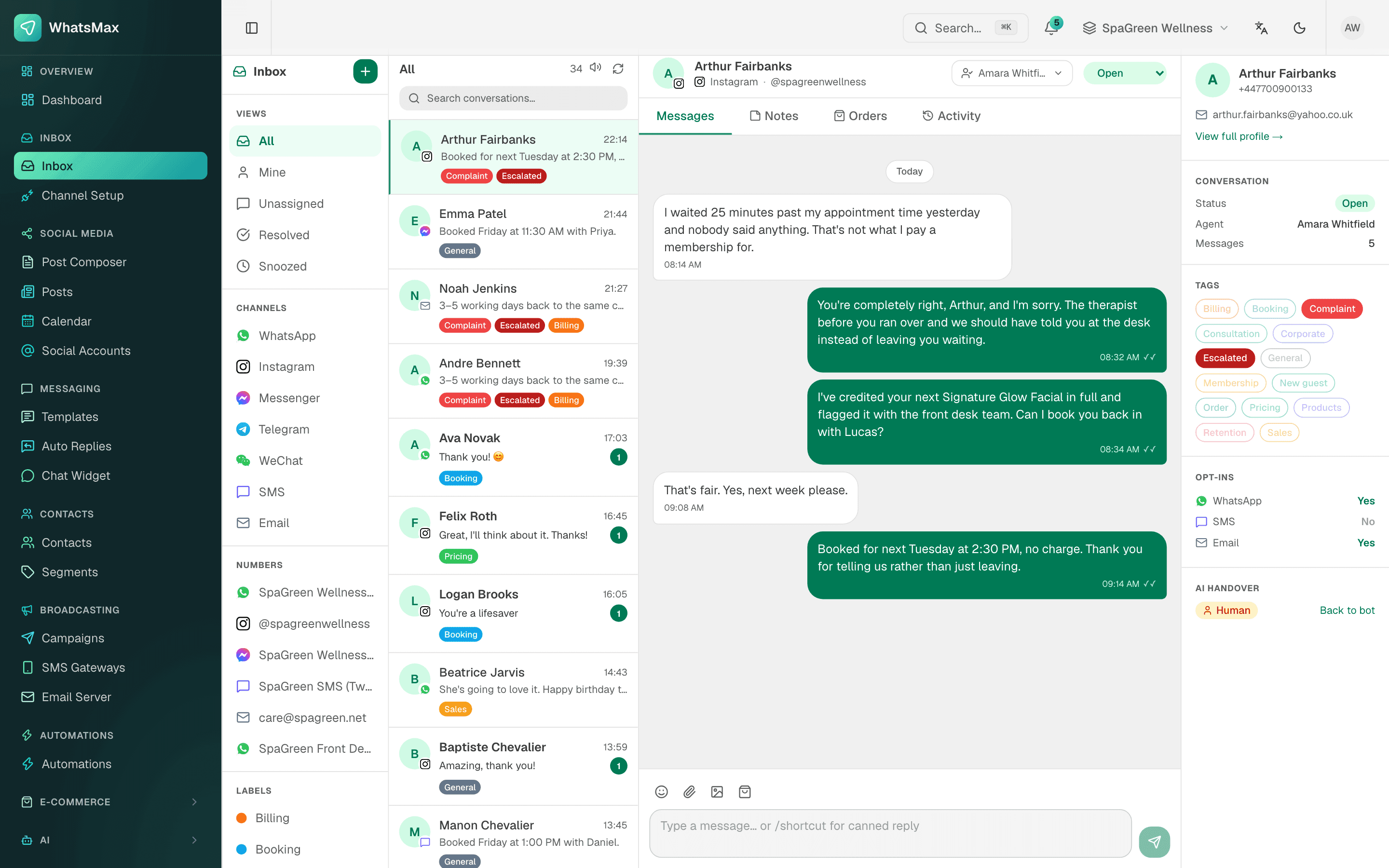
Instagram is where many Bangladeshi fashion, beauty and gift shops show their products. The sale still happens in the DMs: "price plz", "available?", "Dhaka delivery koto din?". If those DMs sit in one person's phone, replies get slow and leads go cold. SaleMag brings Instagram DMs into the same team inbox as WhatsApp and Messenger, and adds an AI chatbot that can answer them.
What does Instagram DM automation mean in SaleMag?
It means two things working together:
| Part | What it does |
|---|---|
| Shared inbox | Every DM appears in one inbox your whole team can work from |
| AI replies | A chatbot answers common questions from your own products and policies |
| Order taking | The bot builds the cart and sends a secure order-form link |
| Handover | The chat moves to a person when the bot should not answer |
Customers' photos and attachments come into the thread. Messages your team sends from the Instagram app are recorded as well, so the history in SaleMag matches what the customer sees.
What do I need to connect Instagram?
You need an Instagram professional account that is linked to a Facebook Page you manage. In Channel Setup, choose Instagram and log in with Facebook. SaleMag reads the Instagram account through that Page and subscribes it to Meta's webhooks. If the account does not appear, check the link between the Page and Instagram in Meta's settings first.
How does the AI chatbot reply to DMs?
The AI chatbot uses a knowledge base that you fill with your products, delivery charges, return policy, files, web pages and FAQs. It is told to answer only from that material and never to invent prices, stock or links. It replies in the language of the customer's message, so Bangla, Banglish and English all work.
Typical questions it can handle:
- "Ei dress ta koto?" (price, from your product list)
- "M size ache?" (options and stock)
- "Outside Dhaka delivery charge?" (from your delivery settings or policy text)
- "Amar order er ki obostha?" (the customer's recent order status)
Can Instagram DMs turn into orders?
Yes. Turn on AI order taking for the chatbot. It looks up each product before quoting, asks for the size or colour, and sends a secure order-form link. The customer picks a delivery area, enters name, phone and address, and places a cash-on-delivery order. Your team gets a numbered order and a notification, and the form checks live prices and stock again before it accepts the order.
When does my team step in?
The bot passes the chat to a person for complaints, bulk orders, custom requests and changes to an order already placed. With handover switched on, it also hands over when it cannot answer or when the customer asks for a human. Everyone in the workspace is notified, and the bot stays out of a chat that a person is handling. This is called human handover.
What can my team do in the inbox?
Agents can assign a DM to a teammate, add labels such as "Eid order" or "follow up", leave internal notes, and use saved replies for answers they send every day. Filters let you look at Instagram only, or at every channel together. That matters during a sale rush, when the same person might be answering Instagram, Messenger and WhatsApp at once.
How do I handle Instagram DMs during a sale rush?
Ad campaigns and Eid or 11.11 posts can bring in hundreds of DMs in a few hours. A simple plan works well:
| Before the sale | During the sale |
|---|---|
| Add sale products and prices to the product list | Let the chatbot answer price and stock questions |
| Write sale dates and offer rules into the bot's instructions | Filter the inbox by Instagram and work the handovers first |
| Create saved replies for exchange and delivery questions | Label chats that need a follow-up call |
Because the bot answers from the product list, change a price there once and every reply after that uses the new price.
Are there Meta rules for Instagram messaging?
Yes. Instagram messaging for businesses runs on Meta's platform, and Meta limits how long after a customer's last message a business can reply freely, generally 24 hours. Reply quickly, especially to ad-driven DMs, and follow Meta's policies for your account.
Get started
Link your Instagram account to your Page, connect it in SaleMag, and attach a chatbot with your best-selling products. Look at the shared inbox features, or see pricing.
Step by step
- 1
Link Instagram to your Page
Make sure your Instagram professional account is linked to your Facebook Page in Meta's settings.
- 2
Connect in SaleMag
In Channel Setup, choose Instagram, log in with Facebook and pick the account.
- 3
Attach a chatbot
Link an AI chatbot with your product knowledge to the Instagram account and send a test DM.
Frequently asked questions
What kind of Instagram account do I need?
An Instagram professional account that is linked to a Facebook Page you manage. SaleMag finds it through that Page when you log in with Facebook.
Can I still reply from the Instagram app?
Yes. Messages your team sends from the Instagram app are recorded in the SaleMag thread too, so nobody misses a reply.
Can the AI take orders from Instagram DMs?
Yes, when order taking is on. The bot builds the cart and sends a secure order-form link for delivery details. Payment is cash on delivery.
Does it reply to comments on my posts or reels?
No. SaleMag handles direct messages, not comments.
Can I see Instagram and Messenger chats together?
Yes. Both, plus WhatsApp and Telegram, share one inbox with filters by channel.
About the author
WhatsApp & F-commerce automation, Dhaka
The Dhaka team that builds SaleMag, the AI sales inbox for WhatsApp, Messenger and Instagram used by online sellers in Bangladesh.