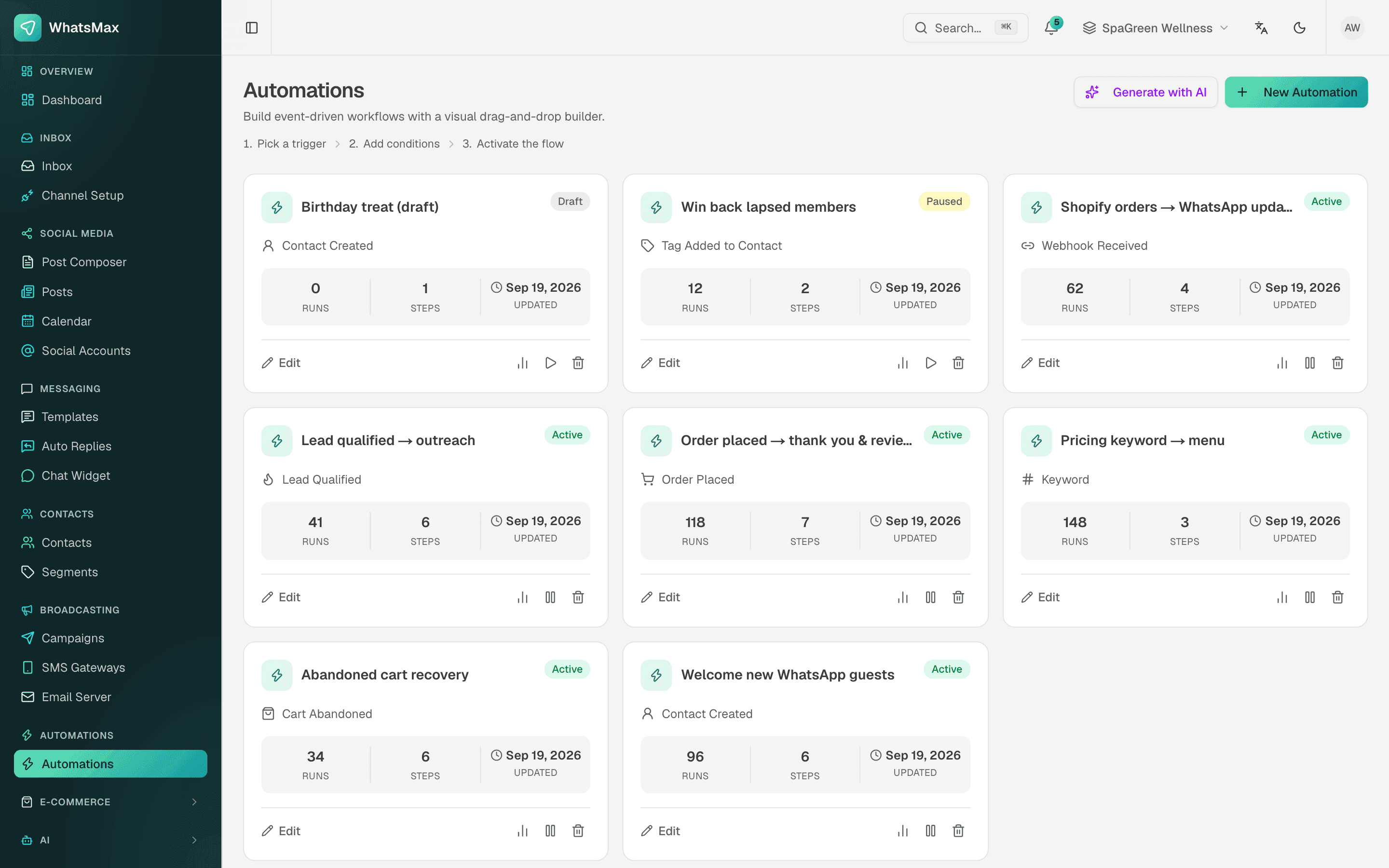
Your order system knows when an order is placed. Your CRM needs to know when a customer writes on WhatsApp. Without a connection, someone checks one screen and types into another, and things are missed. Polling an API every minute is slow and wastes requests.
A webhook is an HTTP request that one system sends to another the moment something happens. SaleMag uses webhooks in both directions: it tells your system about new messages, contacts and finished campaigns, and your system can start SaleMag automations.
What kinds of webhooks does SaleMag have?
SaleMag has three kinds of webhooks, plus the platform webhooks it sets up for you:
| Kind | Direction | What it is for | Where you set it up |
|---|---|---|---|
| Outgoing event webhooks | SaleMag to your URL | New messages, new contacts, finished campaigns | Webhooks page, or /api/v1/webhooks |
| Incoming webhook trigger | Your system to SaleMag | Start an automation from any system | The automation's Webhook Received trigger |
| Call Webhook step | SaleMag to any URL, from a flow | Send order or contact data out during an automation | A step in the automation builder |
| Platform webhooks | Meta, stores and Telegram to SaleMag | Receive chats, orders and carts | Registered for you when you connect a channel or store |
Which events do SaleMag outgoing webhooks send?
SaleMag outgoing webhooks send three events. You choose events per endpoint; an endpoint with no events chosen receives all of them.
| Event | When it fires | Main object in the payload |
|---|---|---|
message.received |
A customer message arrives on WhatsApp, Messenger, Instagram, Telegram or WeChat | message: id, conversation_id, direction, channel, body, sent_at |
contact.created |
A new contact is added in the app, or by a customer's first message | contact: id, phone_e164, email, first_name, last_name |
campaign.completed |
A broadcast finishes, with the status completed or failed |
campaign: id, name, channel, status, totals |
test.ping |
Only when you press Send test | message: a test text |
Contacts brought in by a CSV import, a store sync or POST /api/v1/contacts do not fire contact.created.
A message.received delivery looks like this:
{
  "event": "message.received",
  "message": {
    "id": 9812,
    "conversation_id": 311,
    "direction": "in",
    "channel": "whatsapp",
    "body": "Ei dress ta koto?",
    "sent_at": "2026-10-24T09:15:02+00:00"
  },
  "timestamp": "2026-10-24T09:15:03+00:00"
}
For campaign.completed, totals holds the counts total, queued, sent, delivered, read, failed, clicked and unsubscribed.
What headers does each delivery have?
Every delivery is an HTTP POST with a JSON body and these headers:
| Header | Value |
|---|---|
Content-Type |
application/json |
X-Webhook-Event |
The event name, such as message.received |
X-Webhook-Signature |
t={unix seconds},v1={HMAC-SHA256 hex} |
User-Agent |
Ends in Webhooks/1.0 |
How do I verify the webhook signature?
Compute an HMAC-SHA256 of {t}.{raw body} with your signing secret, as a hex string, and compare it with v1. The secret starts with whsec_; use the whole string, prefix included. Always hash the raw body as received, not a re-encoded copy.
import crypto from "node:crypto"

// rawBody: the request body as a string, exactly as received
export function verifySaleMagWebhook(rawBody, signatureHeader, secret, toleranceSec = 300) {
  const parts = Object.fromEntries(signatureHeader.split(",").map((p) => p.split("=", 2)))
  if (!parts.t || !parts.v1) return false
  if (Math.abs(Date.now() / 1000 - Number(parts.t)) > toleranceSec) return false

  const expected = crypto
    .createHmac("sha256", secret)
    .update(`${parts.t}.${rawBody}`)
    .digest("hex")

  const a = Buffer.from(expected)
  const b = Buffer.from(parts.v1)
  return a.length === b.length && crypto.timingSafeEqual(a, b)
}
The same check in PHP:
$raw = file_get_contents('php://input');
parse_str(str_replace(',', '&', $_SERVER['HTTP_X_WEBHOOK_SIGNATURE'] ?? ''), $sig);
$expected = hash_hmac('sha256', ($sig['t'] ?? '') . '.' . $raw, $secret);
$valid = isset($sig['v1']) && hash_equals($expected, $sig['v1']);
Every attempt, including a retry, is signed again with a new timestamp, so you can safely reject old timestamps.
What happens when my endpoint is down?
SaleMag counts a delivery as successful when your endpoint returns any 2xx status within 10 seconds. Anything else is retried on this schedule:
| Attempt | When |
|---|---|
| 1 | Right away |
| 2 | 1 minute after attempt 1 fails |
| 3 | 5 minutes after attempt 2 fails |
| 4 | 1 hour after attempt 3 fails |
| 5 | 1 day after attempt 4 fails, then no more |
Each attempt is saved in the delivery log with the event, HTTP status, attempt number and time. The Webhooks page shows the last five per endpoint, and View deliveries shows the full list. A URL that points to a private or local network address is blocked and not retried.
Because a retry can arrive after a slow success, make your receiver safe to run twice: store the object id and skip one you have already handled.
How do I manage webhook endpoints?
Manage endpoints on the Webhooks page in the app, or from code:
- Create, edit, turn off or delete an endpoint. Team members need the developer permission to open the page.
- Rotate the secret. The old secret stops working at once, so update your receiver right away.
- Send test. Queues a
test.pingto that endpoint. - From the API.
GET,POSTandDELETEon/api/v1/webhookswith a token that has thewebhooks:writescope. The create response includes the secret once. See the REST API.
How does an incoming webhook start an automation?
Give an automation the Webhook Received trigger, and SaleMag shows a URL like this:
https://YOUR-SALEMAG-DOMAIN/api/webhooks/automation/{token}
Each automation has its own token, and the automation must be active. When a request arrives, SaleMag checks the signature if you set a secret, applies your event filter, drops repeats, finds the contact, and starts the flow. The payload is then available as tokens, such as {{context.payload.order.number}}.
The trigger has three presets:
| Preset | Signature header | Event read from | Repeat check |
|---|---|---|---|
| Shopify | X-Shopify-Hmac-Sha256 (base64) |
X-Shopify-Topic header |
X-Shopify-Webhook-Id |
| WooCommerce | X-WC-Webhook-Signature (base64) |
X-WC-Webhook-Topic header |
X-WC-Webhook-Delivery-Id |
| Custom | Off, or a header you name (hex or base64) | event field in the body, or a header you name |
X-Delivery-Id, X-Request-Id or X-Idempotency-Key |
Details that matter when you build on it:
- Body. JSON, form data or query parameters. SaleMag reads up to 1 MB.
- Signature. With a secret set, SaleMag checks an HMAC-SHA256 of the raw body. Hex or base64 both pass, with or without a
sha256=prefix. Turn on "require signature" to reject unsigned requests. - Event filter. List the events to accept. A trailing
*matches a prefix, soorders/*acceptsorders/createandorders/paid. - Repeats. A request with a delivery id already seen is skipped. With no delivery id header, an identical body is treated as a repeat, so send a delivery id if two real events can have the same body.
- Contact. SaleMag matches the contact by email, then phone. You can map other paths, and turn on "create contact" for new people. Without a contact, the flow still runs.
- Delivery log. Each request is logged with its status, payload and headers. The builder suggests tokens from a real payload, and Replay runs a logged delivery again.
The URL answers GET with {"status":"ready"}, so "test this URL" buttons pass. Responses:
| Status | Meaning |
|---|---|
202 {"status":"accepted","run_id":…} |
The run started |
202 {"status":"ignored"} or {"status":"duplicate"} |
Filtered out, or a repeat |
401 |
The signature is wrong, or missing when required |
404 |
No active automation has this URL |
429 |
More than 1,000 requests per minute from one address |
A worked example, with an order confirmation template, is in WhatsApp order notifications with webhooks.
How do I send order data to my own system?
Use a Call Webhook step inside an automation. Order events are not sent as outgoing webhooks, but an automation with the Order Placed, Order Shipped / Fulfilled or Cart Abandoned trigger can call your URL at that moment:
- Methods
GET,POST,PUT,PATCHorDELETE, with your own headers. - A JSON body you write with tokens, such as
{{context.order_number}}. For every method exceptGET, SaleMag adds the run'scontextobject to the body. - A 10-second timeout. The response status is saved in the run as
webhook_status.
This step is not signed by SaleMag. If your endpoint needs a check, add a secret header of your own. Order triggers come from connected Shopify, WooCommerce and BigCommerce stores and from chat orders. See the automation flow builder for all triggers and steps.
What do SaleMag webhooks not do?
- No order, cart, lead or message status events as outgoing webhooks. Only the three events above leave SaleMag.
- No native Zapier, Make or n8n app. They work through plain webhooks.
- No signature on the Call Webhook step.
- No manual resend of an outgoing delivery. Retries are automatic, and Replay exists only for incoming automation webhooks.
Who are SaleMag webhooks for?
Developers and agencies connecting SaleMag to a website, ERP, POS, CRM or no-code tool, and shops that want WhatsApp messages to follow events in their own order system. If you need to send messages or read data from code, the REST API covers that side.
How do I start?
Create a SaleMag account, add your endpoint on the Webhooks page, and press Send test. Plan prices are on the pricing page.
Step by step
- 1
Add an endpoint
Open Webhooks, add your HTTPS URL and pick the events, or leave all unchecked to receive every event.
- 2
Save the secret
Copy the whsec_ signing secret when it is shown. It is shown only once; rotate it if it is lost.
- 3
Verify the signature
Check X-Webhook-Signature against an HMAC-SHA256 of the timestamp and the raw body, then return a 2xx response quickly.
- 4
Send a test
Press Send test to receive a test.ping, then check the delivery log for the HTTP status.
Frequently asked questions
Which events can SaleMag send to my webhook URL?
SaleMag sends three events: message.received, contact.created and campaign.completed. The Send test button also sends a test.ping, which you cannot subscribe to.
How do I verify a SaleMag webhook signature?
Read the X-Webhook-Signature header, which looks like t={timestamp},v1={signature}. Compute HMAC-SHA256 of '{timestamp}.{raw body}' with your whsec_ secret as a hex string, and compare it with v1 in constant time.
Does SaleMag retry failed webhook deliveries?
Yes. A delivery that does not get a 2xx response within 10 seconds is tried again after 1 minute, 5 minutes, 1 hour and 1 day, so 5 attempts in total. Every attempt appears in the delivery log.
Does SaleMag send a webhook when an order is placed?
No, not as an outgoing event. Order events start automations instead. Build an automation with the Order Placed trigger and a Call Webhook step to post each order to your system.
Can my website or ERP start a WhatsApp message through a webhook?
Yes. Give an automation the Webhook Received trigger, post JSON to its URL, and the flow can send a WhatsApp template using values from your payload, such as {{context.payload.order.number}}.
Do I need to set up Meta's WhatsApp webhook myself?
No. When you connect a number through SaleMag's WhatsApp signup, SaleMag subscribes it to Meta's webhooks. The channel settings have a webhook health check and a button to register the webhook with Meta again.
Does SaleMag work with Zapier, Make or n8n?
Yes, through webhooks. SaleMag has no native Zapier app, but these tools can receive SaleMag's outgoing webhooks and post to an automation's incoming webhook URL.
Are delivery status webhooks, like sent or read, available?
No. SaleMag tracks sent, delivered and read ticks in the inbox, but it does not forward message status changes to your URL.
About the author
WhatsApp & F-commerce automation, Dhaka
The Dhaka team that builds SaleMag, the AI sales inbox for WhatsApp, Messenger and Instagram used by online sellers in Bangladesh.