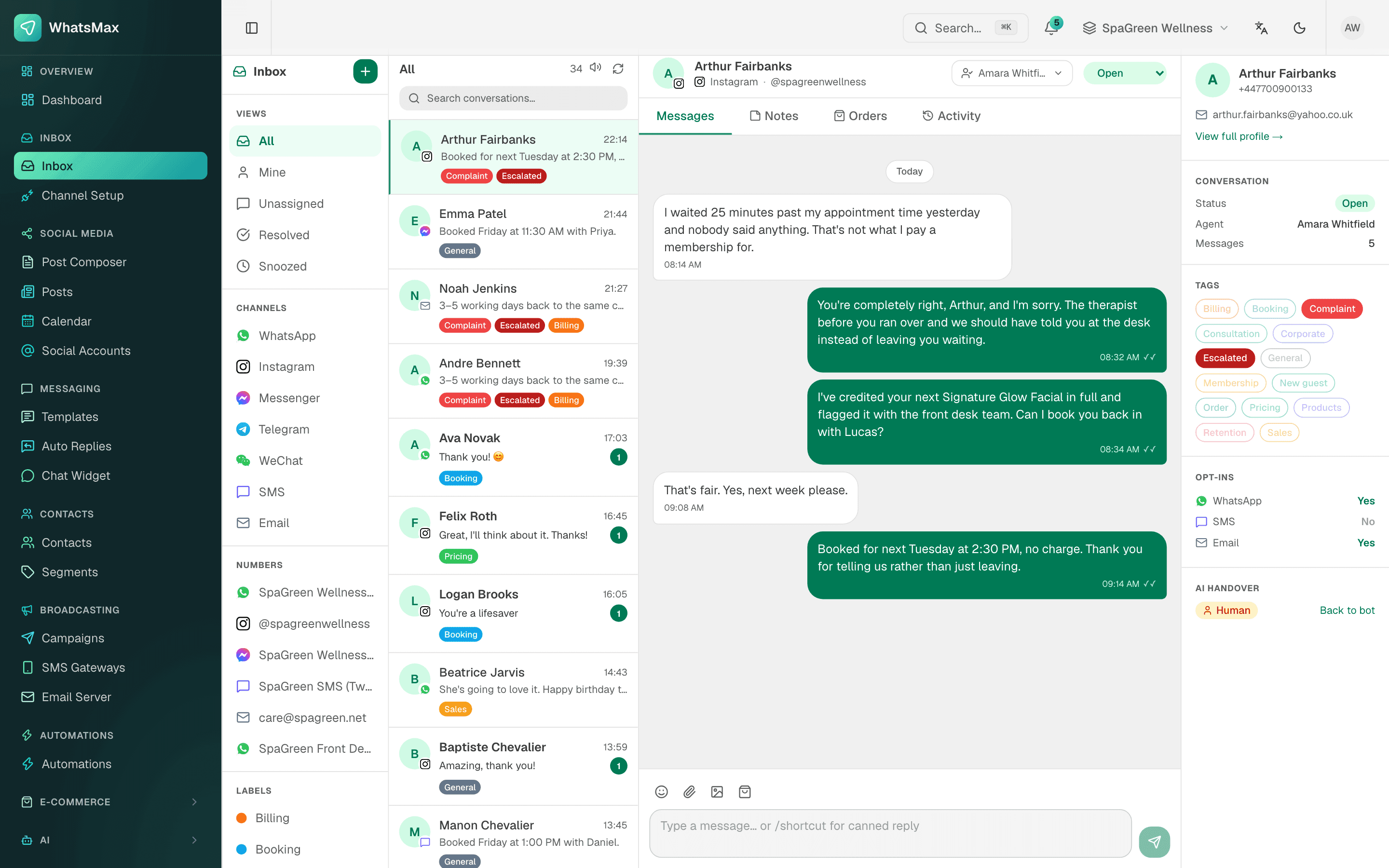
Your customers do not want to fill in a website checkout. They message the page: "price koto?", "eta ache?", "Dhakar baire delivery charge koto?". Someone types the price, sends a photo, asks for the address, writes the order in a notebook, and later copies it again to send a shipping message. On a busy day, orders get lost between the chat and the notebook.
WhatsApp commerce is selling through chat: the customer asks, sees the product, orders and gets updates inside WhatsApp or Messenger, without visiting a website. SaleMag gives an online shop the tools for each of those steps, connected to its store or its own product list.
What does SaleMag do for online shops?
SaleMag connects your products and orders to the same inbox where customers already write. Each part has its own page:
| Need | What SaleMag does | Read more |
|---|---|---|
| Answer price and stock questions | The AI agent replies from your own product list | AI sales agent |
| Take orders in chat | The AI builds the cart and takes a cash-on-delivery order | AI order taking |
| Collect the address | A checkout form inside WhatsApp, or a secure link on other channels | WhatsApp order form |
| Make the customer confirm | The customer confirms on the form or replies to an exact summary | COD order confirmation |
| Answer "where is my order?" | The AI reads the customer's last orders and tracking link | AI order tracking |
| Win back unfinished checkouts | Reminders for Shopify and BigCommerce abandoned carts | Abandoned cart recovery |
| Send order updates | Order events start automations that message the customer | Automation flow builder |
| Answer from one place | WhatsApp, Messenger, Instagram and Telegram in one team inbox | Unified inbox |
Which online stores does SaleMag connect to?
SaleMag connects natively to three platforms: Shopify, WooCommerce and BigCommerce. When you connect a store, SaleMag tests the connection, registers the store's webhooks for you, then imports customers, products and past orders.
| Shopify | WooCommerce | BigCommerce | |
|---|---|---|---|
| How to connect | Admin API access token, or Shopify sign-in where enabled | One-click approval on your WooCommerce site, or a consumer key and secret | Install the app from the BigCommerce control panel, or an API token and store hash |
| Products | Yes | Yes | Yes |
| Customers become contacts | Yes | Yes | Yes |
| Order placed, fulfilled, cancelled | Yes | Yes | Yes |
| Abandoned carts | Yes | No | Yes |
| New store customer trigger | No | No | Yes |
After the first import, changes arrive through the store's webhooks. There is no timed sync, but you can re-sync a store by hand at any time. Synced products are edited in your store, not in SaleMag.
For a platform that is not on the list, your system can post orders to an automation's incoming webhook or use the REST API.
Is there a Shopify WhatsApp integration?
Yes. A connected Shopify store sends SaleMag new orders, fulfilments, cancellations, checkouts and product changes. SaleMag uses them to:
- Update contacts. Each customer becomes a contact with the tag "Shopify Customer", plus order count, lifetime value and last order date. Customers with more than one order get the tag "Repeat Buyer".
- Start automations. An order or fulfilment can send a WhatsApp template with the order number, total and tracking link.
- Feed the AI. Your products can go into the AI agent's knowledge, so it quotes your real prices.
WooCommerce and BigCommerce work the same way, with the tags "WooCommerce Customer" and "BigCommerce Customer".
Can I sell on WhatsApp and Facebook without a website?
Yes. Many shops in Bangladesh sell only from a Facebook Page, Instagram and WhatsApp. In SaleMag you can add products by hand, with no store at all:
- Price and compare-at price, SKU, category, brand and tags
- Stock, or leave stock empty if you do not track it
- A main photo and up to 20 more
- Up to 10 options, such as size or colour
When the AI takes an order for a hand-added product with tracked stock, the stock goes down. If the order is cancelled, the stock goes back. Stock in a connected store is never changed by SaleMag.
How do customers order inside the chat?
The AI agent takes the order in the chat, and the customer confirms it before it is placed. Payment is cash on delivery only. The steps:
- The customer asks. The AI finds the product in your list and replies with the real price. It can send a product photo. On the official WhatsApp API, the photo comes with an "Order now" button.
- The AI builds the cart. It checks stock and the limits you set for quantity and number of items.
- The customer gives delivery details. You choose how: a checkout form inside WhatsApp, a secure link on other channels, or questions in the chat.
- The customer confirms. The form, or a clear "yes" to an exact summary, places the order.
- SaleMag creates the order. The server checks live prices again, adds the delivery fee, and saves a numbered chat order such as CH-000123. Your team gets a notification.
You set your own delivery zones and fees, up to 20. Most Bangladeshi shops use two: Inside Dhaka and Outside Dhaka. The customer sees the fee and the total before confirming. For more, see AI order taking and the WhatsApp order form.
Your team can also share a product from the inbox. The product picker sends it as a card with photo, name, price and link.
How do order updates reach the customer?
Order events start automations, and the automation sends the message. SaleMag does not message the customer by itself when an order changes. These are the commerce triggers:
| Trigger | Fires when |
|---|---|
| Order Placed | A store order arrives, or a chat order is placed |
| Order Shipped / Fulfilled | A store order is fulfilled, or your team fulfils or completes a chat order |
| Order Cancelled | A store order or a chat order is cancelled |
| Cart Abandoned | A Shopify or BigCommerce checkout is not finished |
| New Store Customer | A new customer is created in BigCommerce |
Messages can use order tokens such as {{context.order_number}}, {{context.order_total}}, {{context.order_currency}}, {{context.tracking_url}} and {{context.store_name}}. A shipping update outside the 24-hour window needs an approved WhatsApp utility template. Past orders brought in by the first import do not start automations.
An automation can also save each order to Google Sheets or send it to another system with a Call Webhook step. See the automation flow builder.
How does my team manage orders in SaleMag?
All orders sit on one Orders page, with filters for store, chat orders, status and fulfilment, and cards for total orders, revenue, fulfilled and unfulfilled.
| Order type | What your team can do |
|---|---|
| Chat orders | Confirm, mark paid, mark fulfilled with a tracking number and link, complete or cancel |
| Store orders | Refresh from the store, or mark fulfilled |
Marking a store order fulfilled is sent back to the store: Shopify gets a fulfilment with tracking, WooCommerce is set to completed, and BigCommerce is set to shipped. Other changes to store orders are made in the store. In the inbox, the contact panel shows that customer's last five orders.
What does SaleMag not do for ecommerce?
These are the questions shop owners ask most. The answers are plain:
- No online payments. There is no bKash, Nagad, SSLCommerz or card payment. Chat orders are cash on delivery.
- No courier booking. SaleMag does not connect to Pathao, Steadfast, RedX or any courier. You type in the tracking number and link.
- Chat orders stay in SaleMag. They are not created in Shopify, WooCommerce or BigCommerce.
- No Meta catalog sync. Products are not pushed to a Facebook or WhatsApp catalog.
- No abandoned carts for WooCommerce. Cart recovery works with Shopify and BigCommerce only.
- No sales report. Beyond the Orders page totals, there is no ecommerce analytics report yet.
Who is SaleMag eCommerce for?
SaleMag eCommerce is for f-commerce sellers who take orders on a Facebook Page, Instagram or WhatsApp, and for Shopify, WooCommerce and BigCommerce stores that want order updates and support on WhatsApp. It fits shops that sell cash on delivery with their own courier, in Bangladesh or abroad.
How do I start?
Create a SaleMag account, connect your store or add your first products, and turn on ordering in your AI agent. Plan prices are on the pricing page.
Step by step
- 1
Connect your store or add products
Open Stores and connect Shopify, WooCommerce or BigCommerce, or add products by hand on the Products page.
- 2
Turn on ordering in your AI agent
Switch on order taking in the AI agent, add your delivery zones and fees, and choose the order form or in-chat checkout.
- 3
Add order update automations
Create automations with the Order Placed, Order Shipped / Fulfilled or Cart Abandoned trigger and a WhatsApp template step.
- 4
Work the orders
Confirm, fulfil or cancel chat orders on the Orders page, and add the tracking link when the parcel leaves.
Frequently asked questions
Does SaleMag have a Shopify WhatsApp integration?
Yes. Connect your Shopify store and SaleMag syncs products, customers and orders, and receives new orders, fulfilments, cancellations and checkouts by webhook. Automations can then send WhatsApp messages for each order event.
Which ecommerce platforms does SaleMag connect to?
SaleMag connects natively to Shopify, WooCommerce and BigCommerce. Other platforms, such as Daraz or a custom website, have no built-in connector, but your own system can start SaleMag automations through an incoming webhook or the REST API.
Can I use SaleMag without a website or online store?
Yes. You can add products by hand in SaleMag with price, stock, photos and options. The AI agent and the product picker in the inbox use these products the same way as synced ones.
Does SaleMag accept bKash, Nagad or card payments?
No. Orders taken in chat are cash on delivery only, and SaleMag has no payment gateway. When a customer pays, your team marks the order as paid.
Does SaleMag book couriers like Pathao, Steadfast or RedX?
No. SaleMag does not connect to couriers. Your team books the parcel as usual, then marks the order fulfilled in SaleMag and can add the tracking number and link.
Are orders taken by the AI sent to my Shopify or WooCommerce store?
No. Orders placed in chat stay in SaleMag as chat orders, numbered like CH-000123. Your team handles them from the Orders page.
Does SaleMag message customers when an order ships?
Yes, once you build the automation. Create one with the Order Shipped / Fulfilled trigger and a WhatsApp template step. SaleMag does not send status messages on its own.
How much does SaleMag cost for an online shop?
SaleMag plan prices are on the pricing page. Meta charges separately for WhatsApp template messages, per message.
About the author
WhatsApp & F-commerce automation, Dhaka
The Dhaka team that builds SaleMag, the AI sales inbox for WhatsApp, Messenger and Instagram used by online sellers in Bangladesh.