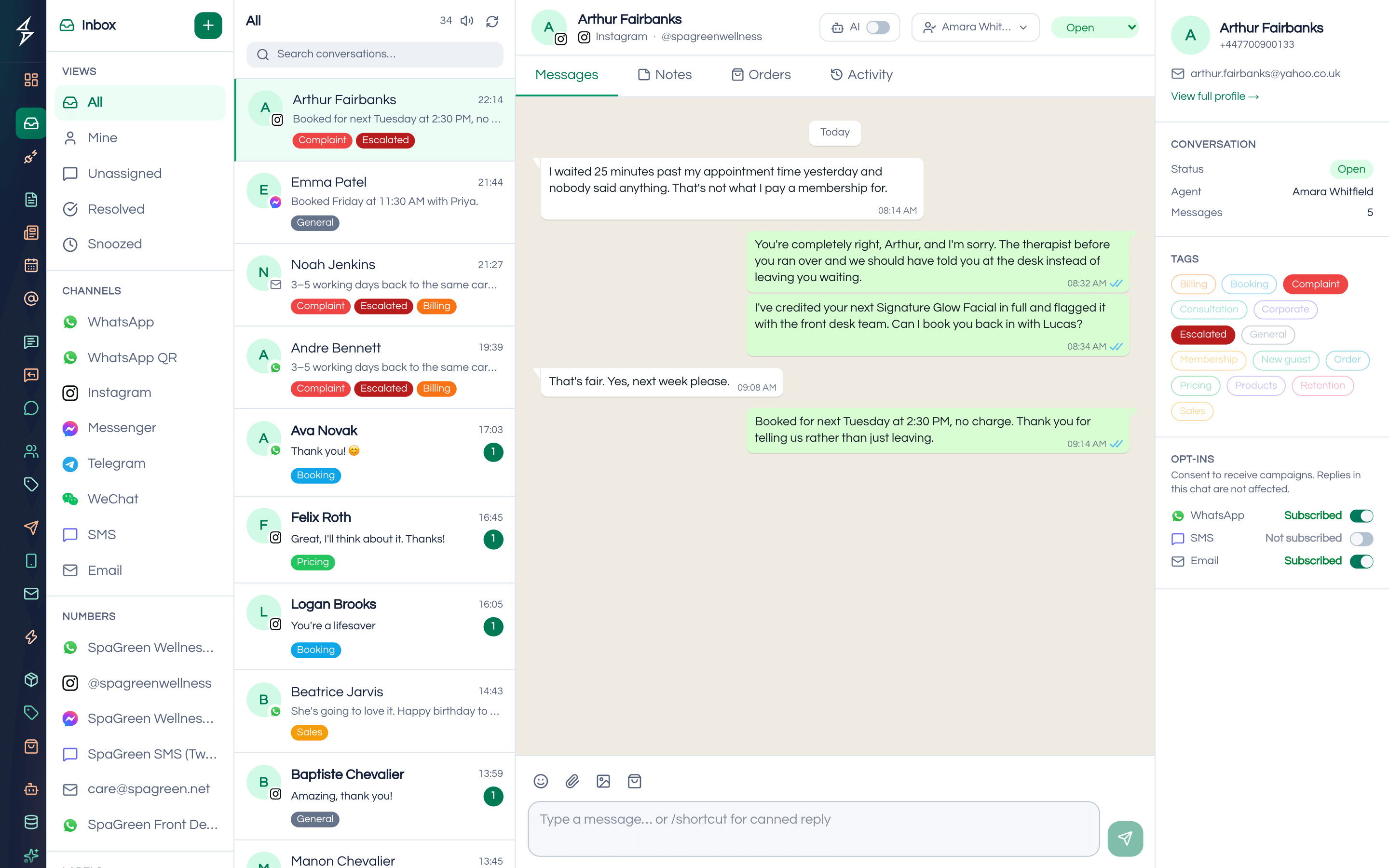
When a Facebook ad or a WhatsApp link brings in fifty enquiries a day, most of them are "details please" or "price koto?". A few are ready to buy this week. Your sales team needs to know which is which before they spend time on a call. A lead qualification chatbot is a chatbot that asks every enquiry the same questions your best salesperson would and puts the serious buyers in front of a person.
How does lead qualification work in SaleMag?
Lead qualification in SaleMag is shared between the AI agent and your sales team: the AI asks your questions and answers the buyer's, and a person reads the answers, tags the lead and assigns the chat. You write the questions in the instructions of your AI agent, and the AI answers from your knowledge base when a customer asks something the questions do not cover.
The table shows which part of SaleMag does each job.
| Part of the job | Done by |
|---|---|
| Greeting a new conversation, or answering a keyword with a fixed message | Auto-reply rules: welcome, keyword and out-of-hours |
| Asking "Which course?", "Which area?", "When do you want to start?" | The AI agent, as its instructions tell it |
| Answering "Is there a weekend batch?" | The AI agent, from your knowledge base |
| Passing the chat to a person | The AI agent's handover, when it cannot answer or the buyer asks for a person |
| Deciding who is qualified | A rep, reading the chat |
| Storing the answers | A rep, in the contact's custom fields |
| Marking the lead | A rep adds a tag, for example hot-lead |
| Routing to a salesperson | A moderator assigns the chat in the inbox |
The AI itself does not tag, score or fill in contact fields. That keeps the qualification decision with your team, who can see the whole conversation.
Auto-reply rules run before the AI agent. A message that matches a keyword rule gets the rule's fixed reply instead of an AI answer, so keep keyword rules for words that need one fixed message, such as "location" or "brochure".
What does a WhatsApp lead qualification chat look like?
A SaleMag lead qualification chat is short: the AI answers the first question, asks three or four of yours, and your team picks up the serious buyers. Take a Mirpur coaching centre advertising HSC batches on Facebook, with a "Message on WhatsApp" link:
- First message: the student writes "fees koto?", and the AI answers from the prospectus in your knowledge base.
- Question one: as its instructions say, the AI asks "Which class are you in, HSC 1st year or 2nd year?"
- Question two: "Which branch is closer, Mirpur 10 or Mirpur 2?"
- Question three: "Do you want to start this month?"
- Rep: the admissions officer reads the answers in the inbox, writes the class and branch into custom fields, adds the tag hot-lead or nurture, and assigns the chat to the right counsellor.
- Follow-up: the counsellor replies in the chat. From that reply on, the AI stays off in that chat until someone turns it back on.
Write the questions one at a time, with clear options, so the answers are easy to read. The AI follows written instructions, which is not a guarantee, so test the conversation in the playground and read real chats in the first week.
Can the AI answer questions during lead qualification?
Yes. In SaleMag, the AI agent linked to the channel answers free-text questions at any point in the chat from your knowledge base: files, web pages, FAQs and products. It replies in the language the customer writes in, including Bangla and Banglish, and is instructed never to invent prices or policies.
When the answer is not in your material, the AI sends your fallback message and, with handover when unsure on, makes a human handover. A buyer who asks for a person is handed over too, and your team is notified. Once someone on your team replies in the chat, the AI switches off there until someone turns it back on, so the buyer never gets an AI answer on top of a rep's reply.
Where do qualified leads go in SaleMag?
Qualified leads stay in SaleMag's shared inbox, where a rep reads the answers, saves them on the contact record and assigns the chat to the right salesperson. Moderators can see and reassign every chat; agents see chats assigned to them or still unassigned.
From there you can:
- filter contacts by tag and use them as a broadcast audience
- keep notes and labels on the conversation for the next person
- see first-response and resolution times in reports
For a deeper view of contacts and lists, see CRM and segments.
Do chat leads go into SaleMag's leads pipeline?
No. SaleMag's leads pipeline holds only prospects from the lead finder; chat enquiries are tracked with tags, contact fields, assignment and inbox status. The leads module has a kanban pipeline, custom stages, follow-ups and activities, and is built for outbound prospecting: the lead finder pulls businesses from Google Places and scores them hot, warm or cold by rules such as having a phone number, rating and reviews. You can push those prospects to your contacts and message them.
How do you follow up with WhatsApp leads who go quiet?
Follow up with approved WhatsApp templates, sent from SaleMag's inbox to one lead or as a broadcast to a tag. Inside the 24-hour window you can reply freely; after that, WhatsApp requires an approved template. Two common patterns:
- A template from the inbox, sent by the rep to one lead, for example two days after the last answer.
- A broadcast to everyone tagged nurture, sent now or scheduled as a WhatsApp broadcast to contacts who have opted in, or by SMS through a Bangladeshi gateway.
Once a lead is ready to buy a product, the AI sales agent can take it from there.
Get started
Write down the three questions that separate a buyer from a browser. Put them in your AI agent's instructions, test the chat in the playground, and have your reps tag and assign the leads it brings in. Create an account or see pricing.
Step by step
- 1
Create custom fields and tags
Add contact fields for the answers you need, such as course, area or budget, and tags such as hot-lead.
- 2
Write the qualifying questions
In the AI agent's instructions, list the three or four questions to ask, one at a time, and turn on handover when unsure.
- 3
Test, then link channels
Try real enquiries in the playground, then link the AI agent to WhatsApp, Messenger, Instagram or Telegram.
- 4
Tag and assign in the inbox
Reps read the answers, fill in the contact fields, add a tag such as hot-lead and assign the chat to the right salesperson.
Frequently asked questions
Does the AI decide which leads are hot?
No. SaleMag's AI asks your questions and answers from your knowledge base; it does not score, tag or update contacts. Your sales reps read the answers in the inbox and decide, so every lead is judged by a person who can see the whole chat.
How does the AI know which questions to ask?
You write them in the SaleMag AI agent's instructions, for example 'Ask which course, which branch and when they want to start, one question at a time.' The AI follows written instructions, which is not a guarantee, so test the conversation in the playground before going live.
Can SaleMag qualify leads on Facebook Messenger?
Yes. SaleMag's AI agent works in Messenger, Instagram DMs, WhatsApp and Telegram conversations once it is linked to that channel. Facebook and Instagram comments are not supported.
Where do the lead's answers go?
They stay in the conversation in SaleMag's shared inbox. A rep reads them and saves what matters on the contact, for example in a custom field such as budget or course, and adds a tag. The AI does not fill in fields by itself.
Do qualified chats appear in SaleMag's leads pipeline?
No. SaleMag's leads pipeline holds prospects found with the lead finder. Chat enquiries are tracked on the contact with tags, custom fields, assignment and inbox status.
Can the lead qualification agent ask questions in Bangla?
Yes. SaleMag's AI agent replies in the language the customer writes in, including Bangla and Banglish. Writing your FAQs in Bangla as well as English makes the answers sound more natural.
Do I need a developer to set up lead qualification?
No. In SaleMag you write the AI agent's instructions, add your documents and FAQs, test it in the playground and link it to your channels from the dashboard.
How much does a lead qualification chatbot cost?
SaleMag plans are on the pricing page. The AI runs on your own OpenAI, Anthropic or Gemini key, so the provider bills AI usage, and Meta charges for some WhatsApp messages.
About the author
WhatsApp & F-commerce automation, Dhaka
The Dhaka team that builds SaleMag, the AI sales inbox for WhatsApp, Messenger and Instagram used by online sellers in Bangladesh.