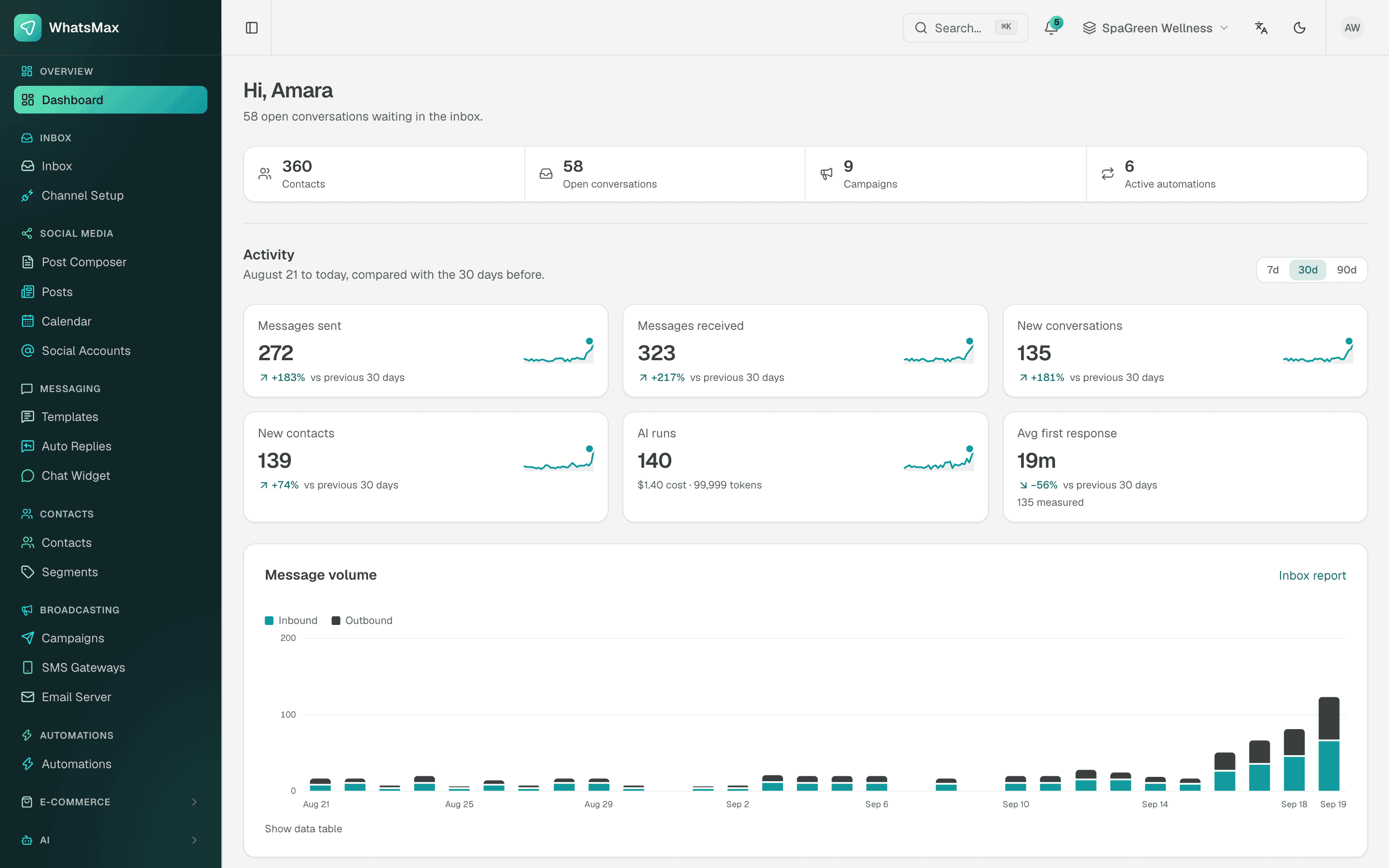
Agencies in Bangladesh are now asked for more than boosted posts. Clients want someone to answer their WhatsApp, set up a chatbot, send Eid offers and schedule the month's content, and they want it done for five or fifteen brands at once. Doing that on separate phones and logins is slow and risky. SaleMag is a WhatsApp marketing platform for agencies that keeps each client in its own workspace, so your team can run chat, AI, broadcasts and social posting for many clients without their data mixing.
What does an agency need from a WhatsApp marketing platform?
An agency needs a WhatsApp marketing platform that keeps each client's customers, numbers and messages apart, lets the team switch between clients quickly, and shows clients only their own data. A WhatsApp marketing platform for agencies is software that lets one agency team run several clients' WhatsApp numbers, chatbots and campaigns while keeping each client's data separate.
The table shows how SaleMag handles each agency need.
| Agency need | How SaleMag handles it |
|---|---|
| Keep clients apart | One workspace per client, each with its own channels, contacts and settings |
| Move between clients quickly | A workspace switcher under one login |
| Limit who sees what | Roles per workspace; agents see only chats assigned to them or still unassigned |
| Run chat, AI, broadcasts and social for each client | All in the same workspace |
| Connect a client's other tools | REST API and signed webhooks |
How do agencies manage multiple client WhatsApp accounts?
In SaleMag, an agency gives each client a workspace and connects that client's own WhatsApp number and other channels inside it. WhatsApp connects to the official WhatsApp Business API through Meta's embedded signup, under the client's Meta business and its own WABA. Their Facebook Page, Instagram account and Telegram bot connect in the same workspace, and all chats land in that client's shared inbox.
Templates, contacts, opt-ins, tags and segments live in the workspace too. A Gulshan restaurant's customer list never appears in a Banani clothing brand's broadcast, because they are in different workspaces.
Which roles can an agency give its team and clients in SaleMag?
SaleMag has six roles, set per workspace, so an agency decides who joins each client's workspace and what they can see. The table shows each role and its typical use in an agency.
| Role | Typical use in an agency |
|---|---|
| Administrator | Agency owner: everything, including team, billing, settings and API tokens |
| Manager | Account manager: day-to-day work on every feature, connects channels; cannot manage the team or billing |
| Editor | Content and campaign staff: broadcasts, social posts, templates, contacts, segments and knowledge bases; no inbox |
| Moderator | Inbox lead: sees and replies to every chat, assigns chats, manages labels and saved replies |
| Agent | Chat staff, yours or the client's: sees only chats assigned to them or still unassigned |
| Viewer | The client's owner: read-only contacts, campaigns, social posts and reports; cannot read chats |
A common setup: your account manager is a manager in three client workspaces, your chat staff are agents in the clients they cover, and the client's owner has a viewer seat to check results.
What services can an agency run for clients with SaleMag?
An agency can run chat support, chatbot setup, lead routing, broadcasts, social content and e-commerce order taking for each client from that client's SaleMag workspace. The table maps each service to the part of SaleMag it uses.
| Service you sell | What you use in SaleMag |
|---|---|
| Chat support or chat sales | Shared inbox with assignment, notes, labels and saved replies |
| Chatbot setup | AI chatbot with the client's knowledge base |
| Lead capture and routing | Automation flows that ask questions, save answers, tag and assign |
| Offers and announcements | WhatsApp broadcasts, SMS and email campaigns |
| Content calendar | Social planner for Facebook, Instagram, LinkedIn, X, TikTok and YouTube |
| E-commerce clients | Store sync and AI order taking for cash-on-delivery orders |
Can an agency run a separate AI chatbot for each client?
Yes. In SaleMag, each client's AI chatbot uses that client's own knowledge base and runs on the AI keys set in that client's workspace. Upload the client's price lists, policies and FAQs, add their website pages or sitemap, and write instructions in their brand voice. The bot replies in the customer's language, including Bangla and Banglish.
Because keys are per workspace, AI usage can be billed by OpenAI, Anthropic or Google directly to the client's own account. You can also use your agency's key and include the cost in your retainer. Either way, the bot hands over to a person when it cannot answer from the knowledge base or the customer asks for one, and it stays quiet for 15 minutes after a team member replies.
How do agencies handle social media and chat together?
In SaleMag, an agency handles a client's social posts and chats in the same workspace. The social planner schedules posts to the client's Facebook, Instagram, LinkedIn, X, TikTok and YouTube accounts, with AI-written captions you can edit. When a post brings in DMs on Messenger, Instagram or WhatsApp, they arrive in that client's inbox. SaleMag replies to direct messages, not to comments on posts, so plan comment moderation separately.
How do agencies report chat and campaign results to clients?
Agencies report results from each client's SaleMag workspace, which covers first-response and resolution time, an agent leaderboard, campaign delivery and read rates, email opens and clicks, AI usage, automation runs and social posting. You can export them and receive a weekly digest.
Reports are not combined across workspaces. To compare clients, export each workspace's reports and put them side by side.
Can SaleMag connect to a client's CRM?
Yes. SaleMag connects to a client's CRM or other systems through the developer API and signed webhooks. The REST API covers contacts, conversations, sending WhatsApp text and template messages, SMS, campaigns, automations, segments, AI and analytics. Signed webhooks fire on new contacts, received messages and finished campaigns, so you can feed a client's CRM or sheet through tools such as Zapier, Make or n8n. There is no native Zapier app.
What does SaleMag not do for agencies?
SaleMag does not offer white-labelling, reseller billing or a single report across all clients. Clients who log in see SaleMag, not your brand, and there is no client invoicing. Be clear with clients about these limits before you sign.
Get started
Create one workspace for your most active client, connect their WhatsApp and Instagram, and run their inbox and chatbot for two weeks before adding the next. Create an account or see pricing.
Step by step
- 1
Create a workspace per client
Add a workspace for each client and name it clearly; use the switcher to move between them.
- 2
Connect the client's channels
In that workspace, connect the client's WhatsApp number through embedded signup, plus their Facebook Page, Instagram account and Telegram bot.
- 3
Invite the right people
Add your account manager and the client's staff to that workspace with roles such as manager, agent or viewer.
- 4
Set up AI and automations
Add the client's AI keys, build the chatbot's knowledge base from their documents and site, and set up flows and broadcasts.
Frequently asked questions
Can an agency manage several clients from one SaleMag account?
Yes. SaleMag lets you create multiple workspaces and switch between them under one login. Most agencies keep one workspace per client, so channels, contacts and reports never mix, instead of juggling each client's phone and separate logins.
Is SaleMag white-label?
No. SaleMag does not offer white-labelling, custom branding of the app for your clients or reseller billing. Clients who log in see SaleMag.
Can a client log in to SaleMag and see only their own data?
Yes. Invite the client's staff to that client's workspace only, with a role that fits, such as viewer for read-only reports or agent for replying to their assigned chats.
Can an agency see reports for all clients in one place in SaleMag?
No. SaleMag reports are per workspace. You open each client's workspace for its inbox, campaign, AI usage and automation reports, and you can export them to compare clients side by side.
Whose AI key is used for a client's chatbot in SaleMag?
The keys set in that client's SaleMag workspace. AI usage is billed by OpenAI, Anthropic or Google to whoever owns the key, so you can use the client's own key or your agency's.
Can each client's chatbot reply in Bangla?
Yes. SaleMag's AI replies in the language the customer writes in, including Bangla and Banglish, and answers from that client's own knowledge base. When the answer is not there, it hands the chat to a person.
Do I need a developer to connect a client's WhatsApp to SaleMag?
No. WhatsApp connects through Meta's official embedded signup. You need access to the client's Meta business, or you do the signup together with the client.
How much does SaleMag cost for an agency?
SaleMag plan prices are on the pricing page. Meta charges separately for each WhatsApp template message at rates it sets and changes, and AI usage is billed to whoever owns the AI key.
About the author
WhatsApp & F-commerce automation, Dhaka
The Dhaka team that builds SaleMag, the AI sales inbox for WhatsApp, Messenger and Instagram used by online sellers in Bangladesh.